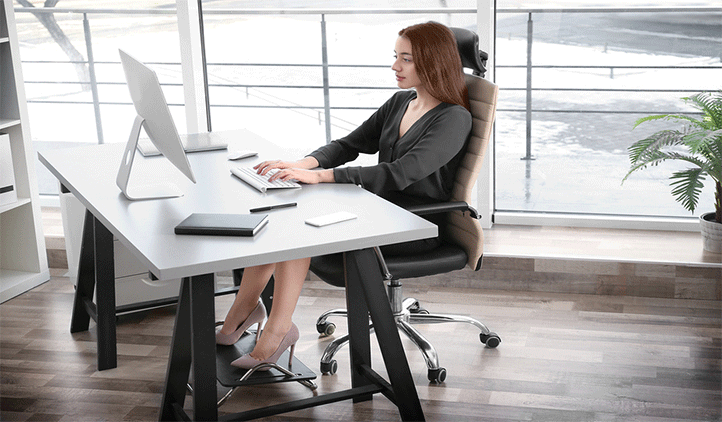
What is the correct office posture to prevent spinal dysfunction?
As mentioned in last week’s blog, up to 60 percent of all spinal dysfunction is caused by repetitive microtrauma. Considering how many hours we spend sitting at desks, the cumulative stress becomes massive over time. But wait, before going off and buying an expensive chair, please first consider that it is HOW YOU SIT IN THE CHAIR that makes all the difference to your spine.
Here are some vital pointers to help reduce stress and add to your spinal well-being.
1) Always wedge your buttock into the CORNER of the chair, this will force your spine into an upright position passively.
2) Always make sure your chair has a backrest and then USE THE BACKREST. Sitting for prolonged periods should be a passive position. Sitting forward towards the edge of your chair (away from the backrest ) means you are using muscular effort, without you even knowing it.
Over longer periods of unsupported sitting the spinal muscles WILL fatigue which loads the spinal joints, which WILL become dysfunctional over time. Using the backrest deflects the pressure OFF the spine.
It is also a myth, that the backrest needs to be 90 degrees upright. If you can, recline the backrest slightly backward a FURTHER 10 to 15-degree angle, the backrest will immediately absorb more of your body weight at this angle, thus further deflecting pressure off the spine.
3) A great way to remember this is“TABLE-NAVEL”. This will assist in holding you upright thus reinforcing the passive position. The height of the desk should also be at least navel height or even better, slightly higher-NEVER LOWER.
4) Use your desktop as your armrests. This will further aid the passively upright posture. If the armrests block you from moving all the way forward to the table (table-navel), rather take them off. You are not going to use them while sitting at the desk anyway!
5) The top of your computer screen should be at your eye level when looking straight ahead. If you are using a laptop it will help to prop it up on a laptop stand to aid this angle as far as possible.
Although standing desktop tables, knee chairs or sitting on exercise balls can be of value for limited or prescribed usage, please remember that they are IN NO WAY A PERMANENT REPLACEMENT FOR A NORMAL CHAIR. These positions and postures are not biomechanically sustainable for longer periods of time. Again, with no back support the spinal muscles WILL fatigue, the spinal joints WILL take the strain and this WILL eventually cause joint dysfunction.
I do not recommend using the above-mentioned apparatus for more than 45min, per every two hours of normal sitting. They serve as a posture break, nothing more! If your objective for using the above is for strengthening, then I suggest that you rather do proper exercise.

Small adaptions such as a footrest can be helpful for short people who’s feet are unable to reach the floor. A headrest will also assist people struggling to maintain a good upright neck posture, though practice and exercise is a far better solution for this.
Remember to get up and WALK AROUND for a few minutes every hour if this is possible, this will aid blood flow, lymph drainage as well as stimulate mental awareness.
Please note that If the above pointers cannot be met by the chair that you are currently using then it may be time to go shopping for a new one. I can highly recommend the ERGOTHERAPY range which features adaptable variations, which you can also customize to your height and adjust for other features. Contact us directly for further information regarding this.
I trust this will aid your office posture awareness, and please feel free to forward any questions to drchiro.co.za- and remember, we’ve got your back!